
Mini Speed Circuit Dash
Reviews
Mini Speed Circuit Dash delivers accessible racing action without complicated mechanics. The two modes offer variety, and the random tracks in Quick Race keep each session unpredictable. Local multiplayer works well for head-to-head competition. The adjustable graphics settings are a thoughtful touch for older computers. While it won't challenge experienced racers, it serves its purpose as a lighthearted game for casual play.
About this game
Track Layout and Obstacles
Each course in Mini Speed Circuit Dash presents a series of turns and hazards that require careful steering. Black holes positioned along the route can pull vehicles off course, while barriers and other obstacles demand quick reactions. The layout varies between sessions, keeping each race fresh and encouraging players to adapt their driving style.
Competition Formats
Two distinct play styles are available. Quick Race mode selects a random track for immediate action, ideal for short gaming sessions. Season mode strings together multiple races, with points awarded based on finishing position. The player with the highest total at the end of the season wins, rewarding consistent performance across all events.
Vehicle Control and Responsiveness
Controls are designed to be intuitive, allowing players to focus on navigating the track rather than memorizing complex inputs. The keyboard-based steering responds quickly to directional commands, making it easy to correct course when approaching tight corners or sudden obstacles. This simplicity helps players of any skill level participate without frustration.
Visual Style and Performance
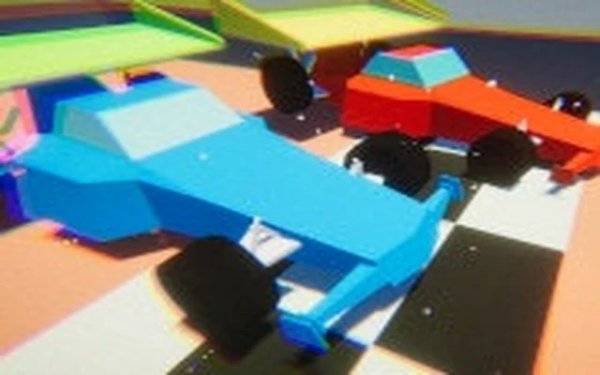
The 3D graphics use bright colors and clear shapes, making it easy to distinguish the track from hazards. Adjustable graphics settings let players reduce visual detail on older computers, ensuring smooth frame rates during races. This flexibility helps maintain a consistent experience across different hardware configurations.
Local Multiplayer Experience
Two players can compete on the same computer using separate keyboard keys. This setup makes it simple to challenge a friend or family member without needing additional controllers or accounts. The head-to-head format adds a social element, as players can react to each other's driving in real time.
Learning the Tracks
Success in Mini Speed Circuit Dash comes from understanding each track's unique layout. Repeated play helps drivers memorize where obstacles appear and how to approach tricky sections. In Season mode, consistency across all races matters more than winning a single event, so steady improvement over time is key to finishing at the top of the standings.







Comments
Sign in to leave a review
No account? Create one
No comments yet.