Masked Blasters Multiplayer Action

Masked Blasters Multiplayer Action

Action
Developer: Fun Wanderer Games
Published: 2024-06-18
Updated: 2026-06-12

Reviews

Masked Blasters Multiplayer Edition delivers a smooth and engaging online action experience. The browser-based setup means no downloads, and the variety of maps and modes keeps matches fresh. Controls are intuitive, making it easy for newcomers while still offering depth for experienced players. The free-to-play model and full screen support add to its appeal.

Game Introduction

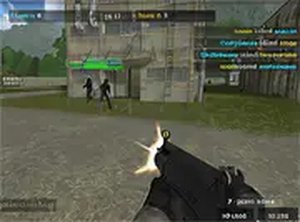
Masked Blasters Multiplayer Edition is a fast-paced first-person action game designed for desktop play. Players can create their own rooms, select from various maps, and choose to play in teams or in a free-for-all mode. The game runs directly in a browser, making it easy to jump into action without any downloads. It offers a classic blasting experience with a focus on multiplayer competition, where players test their aim against others online. The game is free to play and supports full screen mode for a more immersive experience. Whether you are a seasoned action game player or new to the genre, Masked Blasters provides an accessible and engaging way to enjoy action games online.

How to Play

To start playing Masked Blasters Multiplayer Edition, simply launch the game in your browser. Use your keyboard and mouse to control your character: WASD keys for movement, mouse to aim and fire. You can create a room or join an existing one. Choose your preferred map and game mode—team play or free-for-all. The objective is to tag opponents and earn points. Use the environment for cover and work with your team if playing in team mode. The game is straightforward, with intuitive controls that make it easy to pick up and play. Full screen mode can be activated for a better view. Practice makes perfect, so keep playing to improve your aim and strategy.

Game Features

Masked Blasters Multiplayer Edition includes multiplayer rooms, multiple maps, team and free-for-all modes, browser-based play, free access, and full screen support. These features combine to create a solid multiplayer action experience that is easy to access and fun to play.

Tips for Success

To succeed in Masked Blasters, focus on improving your aim and movement. Practice regularly to learn map layouts and find good cover spots. Communicate with your team in team modes to coordinate attacks. Stay aware of your surroundings to avoid being caught off guard. Experiment with different strategies, such as flanking or holding defensive positions, to find what works best for you. Most importantly, enjoy the game and learn from each match.

Compatibility

▸ Desktop: Chrome / Edge / Firefox / Safari
▸ Mobile: iOS Safari / Android Chrome
▸ Tablet: iPadOS Safari / Android Tablet Browser
Keep your browser updated for the best experience
Faq
Is Masked Blasters free to play?
Yes, the game is free to play. You can access it directly in your browser without any cost or download. This makes it easy for anyone to jump into a match without financial commitment.
Do I need to download anything to play?
No, Masked Blasters runs entirely in your browser. There is no need to download or install any software. Simply open the game page and start playing immediately.
Can I play Masked Blasters on mobile devices?
The game is designed for desktop play, so it may not be optimized for mobile devices. For the best experience, use a computer with a keyboard and mouse.
How do I create a room to play with friends?
After launching the game, look for an option to create a room. You can set up a private room and share the room code or invite link with friends so they can join your match.
What are the different game modes available?
The game offers team play and free-for-all modes. In team mode, you work with teammates to score points, while free-for-all is every player for themselves. You can choose your preferred mode when joining or creating a room.
Can I play Masked Blasters in full screen?
Yes, the game supports full screen mode. You can activate it through the game's settings or by using your browser's full screen option for a more immersive experience.
Advertisement

More Games