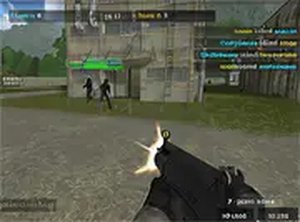

Masked Arena Multiplayer Action

Masked Arena Multiplayer Action

Action Multiplayer Arena Browser Game Free to Play
Developer: Fun Wanderer Games
Published: 2024-06-18
Updated: 2026-07-04

Reviews

Masked Arena Multiplayer Action delivers a solid online action experience directly in your browser. The ability to create rooms and choose between team or free-for-all modes adds variety. Controls are intuitive, and the full-screen option enhances immersion. A great choice for quick, competitive play.

Game Introduction

Masked Arena Multiplayer Action is a fast-paced first-person action game designed for desktop play. The game focuses on multiplayer competition where players test their aim against others online. Players can create their own rooms, select from various maps, and choose to play in teams or in a free-for-all mode. The game runs directly in a browser, making it easy to jump into action without any downloads. It offers a classic arena experience with a focus on multiplayer competition. The game is free to play and supports full screen mode for a more immersive experience. Whether you are a seasoned action game player or new to the genre, Masked Arena provides an accessible and engaging way to enjoy action games online.

How to Play

To start playing Masked Arena Multiplayer Action, simply launch the game in your browser. Use your keyboard and mouse to control your character: WASD keys for movement, mouse to aim and fire. You can create a room or join an existing one. Choose your preferred map and game mode—team play or free-for-all. The objective is to tag opponents and earn points. Use the environment for cover and work with your team if playing in team mode. The game is straightforward, with intuitive controls that make it easy to pick up and play. Full screen mode can be activated for a better view. Practice makes perfect, so keep playing to improve your aim and strategy.

Game Features

Masked Arena Multiplayer Action includes multiplayer rooms, multiple maps, team and free-for-all modes, browser-based play, free access, and full screen support. These features combine to create a solid multiplayer action experience that is easy to access and fun to play.

Tips for Success

To succeed in Masked Arena, focus on improving your aim and movement. Practice regularly to learn map layouts and find good cover spots. Communicate with your team in team modes to coordinate attacks. Stay aware of your surroundings to avoid being caught off guard. Experiment with different strategies, such as flanking or holding defensive positions, to find what works best for you. Most importantly, enjoy the game and learn from each match.

Compatibility

▸ Desktop: Chrome / Edge / Firefox / Safari
▸ Mobile: iOS Safari / Android Chrome
▸ Tablet: iPadOS Safari / Android Tablet Browser
Keep your browser updated for the best experience
Faq
Is Masked Arena Multiplayer Action free to play?
Yes, the game is completely free to play. There are no hidden costs or paywalls. You can access all features, including creating rooms, choosing maps, and playing in team or free-for-all modes, without any payment.
What are the system requirements for Masked Arena?
Since Masked Arena runs directly in a browser, you only need a desktop computer with a modern web browser (like Chrome, Firefox, or Edge) and a stable internet connection. No downloads or installations are required.
Can I play Masked Arena on a mobile device?
The game is designed for desktop play. While it may load on some mobile browsers, the controls and interface are optimized for keyboard and mouse, so a desktop or laptop computer is recommended for the best experience.
How many players can join a room in Masked Arena?
The exact player limit per room is not specified, but the game supports multiplayer rooms. Typically, games of this type accommodate between 4 to 16 players, allowing for competitive matches in both team and free-for-all modes.
Does Masked Arena have a single-player mode?
No, Masked Arena is focused on multiplayer competition. The game is designed for online play against other players, with options to create or join rooms. There is no single-player or offline mode available.
How do I report a player or issue in Masked Arena?
The game may include in-game reporting features, but specific details are not provided. If you encounter a problem, you can try using any available report button in the room or menu, or contact the game's support team through the website where it is hosted.
Advertisement

More Games